PTP Studio: the new and evolving Production Through Performance
Make the song first.
A music course built on one idea: students learn music by making it. They hear an idea, try it, change it, and use it in a song of their own, on a MIDI keyboard, the typing keys or a phone. The first cycle is free, so you can run it with a class before you decide anything. Music first. Technology second.
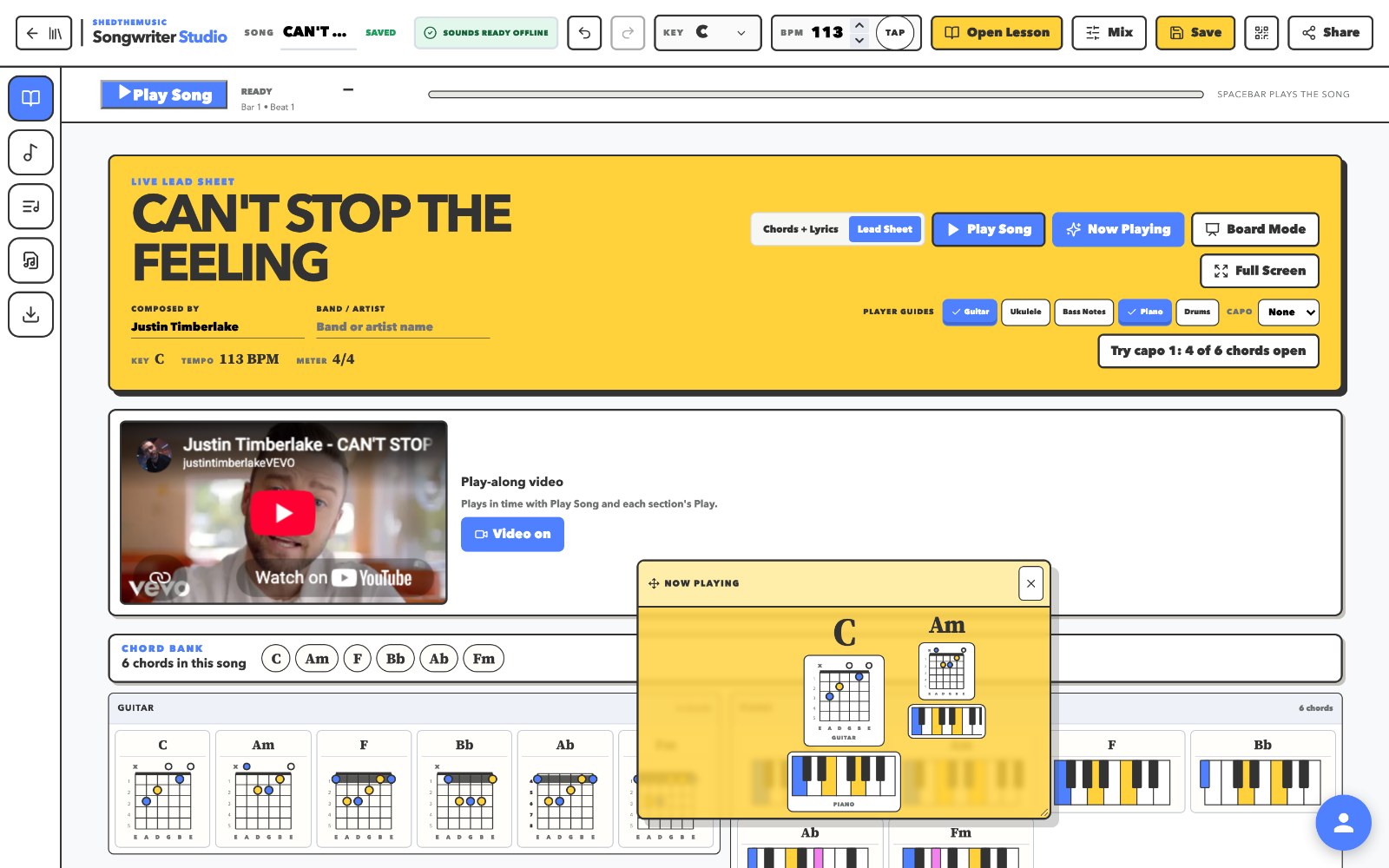

- Hear itStart from music students already care about. Listen, then imitate.
- Try itSing it, tap it, play it on a keyboard, a phone or the typing keys.
- Change itSwap a chord, move the kick, rewrite the line. Feel why it matters.
- Make itUse it in a song of your own, then come back and go deeper.
The whole course
Cycles of projects, and the studio they run in.
One course in five stages. Learn a little, make something, come back and go deeper: each cycle is a short run of projects students actually finish, and the units underneath get deeper as they go. Cycle 1 is free to try, and it runs from a first rewritten chorus to career work that counts for CTE.
-
Cycle 1
Free to tryCreativity First. Students make music before they know much, from rewriting a chorus to recording an original song.
-
Cycle 2
Playing and jamming. Students perform their parts in time with each other instead of only placing them.
-
Cycle 3
Develop it. Students take an idea past the loop and build it into a full piece of music instead of repeating the same four bars.
-
Cycle 4
Sample it. A second way into making music: chop and rebuild recorded sound, and start a song from something other than a chord.
-
Find Your Own Way
The scaffolding comes off. Students stop following a workflow and build the one that fits how they actually write.
Career Connections
CTE alignedThe same skills, on the jobs that pay for them. Career and technical education work, made in the studio students already know.
- Video game audio
- Music for film
- Podcasting
- Radio commercials
For the teacher
A lesson plan for every project, from the teacher who ran it.
You do not have to become a producer first. Every project ships with the plan, not just the app.
Watch the class before you teach it
A lesson plan video for every project, with chapter links so you can jump to the part you need: the setup, the run of the room, what to watch for, and how to grade it.
The plan in writing
Before class, the whole-class walkthrough, the release to student work, what to do with advanced and struggling students, and the National Core Arts Standards each project meets.
Standards, and a CTE pathway
Every plan lists the National Core Arts Standards the project meets. Career Connections is aligned for CTE, so video game audio, film music, podcasting and radio spots count toward career and technical education.
Links you can paste into your LMS
Each project has a link that opens the app with the lesson already on the right step.
Class codes, not student accounts
Students sign in with a code you control. Rotate it, reset devices, and switch the class between open and guided modes.
The lesson lives next to the tool.
Short steps and a video stay open while students work, right beside the chord lane or the drum grid, with a checklist and a Check My Work button that says what to fix. Not: watch a long video, close it, remember ten steps, open another program.
DAW agnostic
On its own, or beside the DAW you already teach.
PTP Studio has its own browser tools, so you can run the course without a traditional DAW. It does not replace one. The guided material also works with the tools below: students shape the idea in the Studio first, then move into a full DAW when deeper production makes sense.
SoundtrapBandLabGarageBandLogic
What it is
Not another DAW.
A DAW gives a beginner thousands of possibilities. PTP Studio is the layer between curriculum and creation: it answers what a beginner should actually do with them. Not a learning management system, not a production course only, not a songwriting app only. Music first, with just enough technology to make it.
Where it fits
Built for the class you already teach.
Run the whole course, or pull one project or one tool into what you are doing this week. Teachers come to this from band, choir, orchestra, guitar, piano, general music, theory and music tech. Nobody has to already play an instrument, and students who do can bring what they know.
Music Production
Songwriting, beat creation, MIDI performance, arranging and sampling, then on into a DAW.
Piano
Chords, bass, melody, rhythm and lead sheets on a keyboard. Contemporary music, not only exercises.
Guitar
Chords, harmonic thinking, songwriting and ensemble playing, with lead sheets the whole room can follow.
Music Theory
Harmony, rhythm, form, melody and voice leading as things you hear and change, not only label.
Music Appreciation
Alter a groove, a chord, a sound, a form or a lyric and feel why the original choice mattered.
Band, Choir and Orchestra
A companion, not a semester of music tech: a songwriting project, an arranging activity, an ear-training tool, a composition exercise.
Get started
Try a cycle with a class, then bring in the rest.
Start free with Cycle 1
Free for a year- The first cycle of the course, start to finish.
- Songwriter Studio, the whole tool.
- Lesson plans, videos and standards for every project in it.
- Your whole class, on one code.
The whole course
For schools- All five stages: Cycles 1 to 4, then Find Your Own Way.
- Every unit, including Drums: seventeen challenge levels, five lessons, nine modes.
- Career Connections, aligned for CTE, and new units as they land.
- Teacher resources for every project, and codes for every class you teach.
PTP Studio is the new and evolving Production Through Performance from Shedthemusic. Every cycle is written and tested with students before it reaches a classroom. Rewire Theory, Fretboard Fundamentals and the rest of the Shedthemusic catalog continue as they are.
Music first. Technology second.
